How to check TDS (Tax Deducted at Source) online?
It’s easy to verify if the tax payments made by you or TDS deducted from salary, interest, Commission, etc are correctly reported to the income tax department. You can also check income tax refund from previous year in the same form.
It takes only few minutes to check credit of TDS deducted. Following are the steps to check TDS Credit in Form 26AS:
Step 1
Go to http://www.incometaxindiaefiling.gov.in
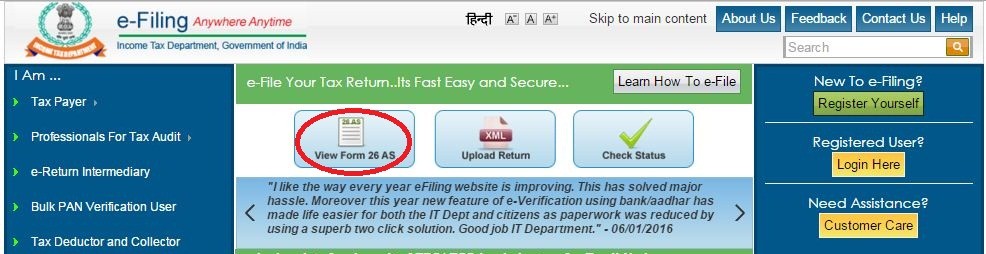
Click on View Form for 26AS as indicated here by red circle in below image.
Step 2
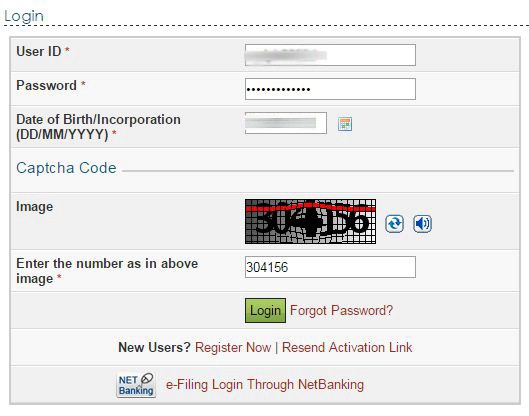
Login using your account. If you don’t have an account, you will have to register.You will have to enter your PAN number, password and date of birth / date of incorporation.
Step 3
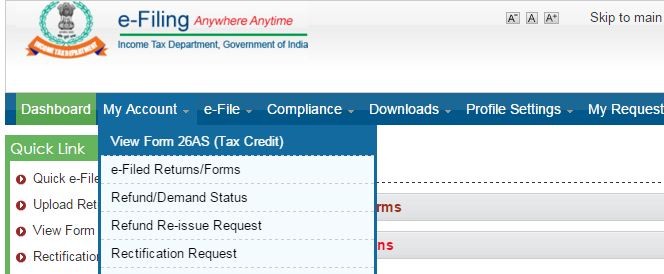
After Login Go to My Account – View Form 26AS (Tax Credit).
Step 4
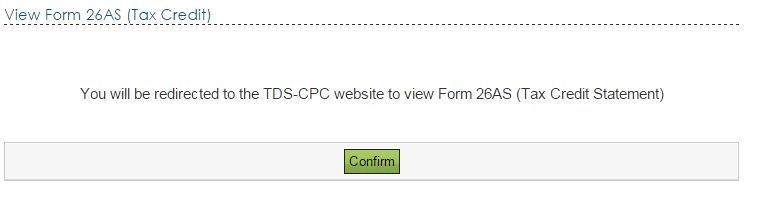
Confirm that you will be redirected to the TDS-CPC website of the Government.
Step 5
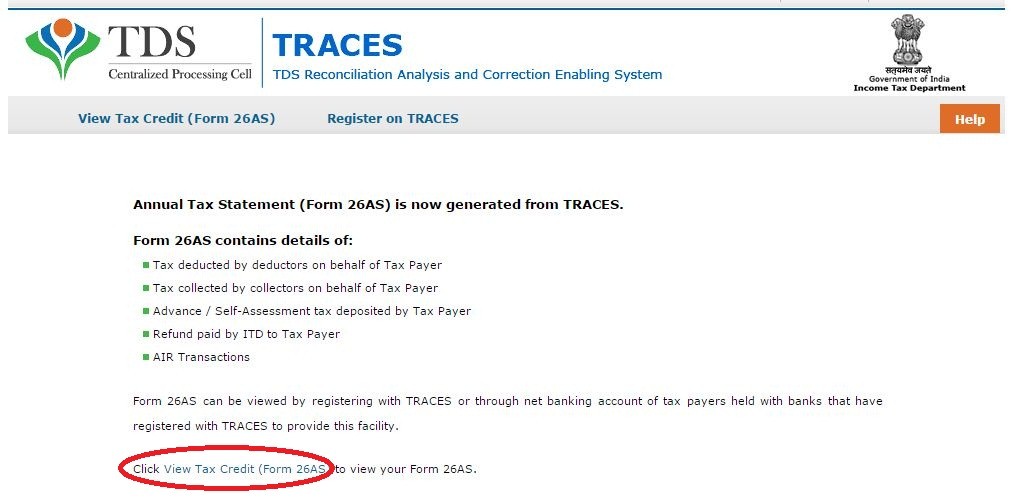
Click on the below given Link as “View your Tax Credit (26AS)”
Step 6
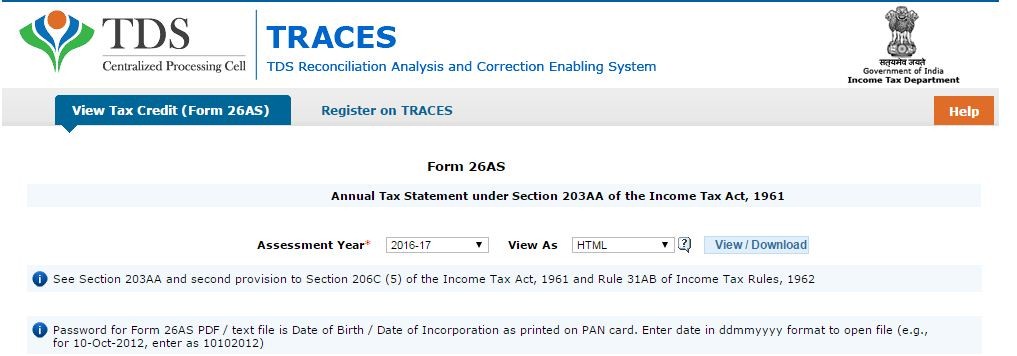
- Select the Assessment Year and the format in which you want to see the Form 26AS.
- If you want to see it online, leave the format as HTML.
- If you would like to download a PDF for future reference, choose PDF.
Step 7
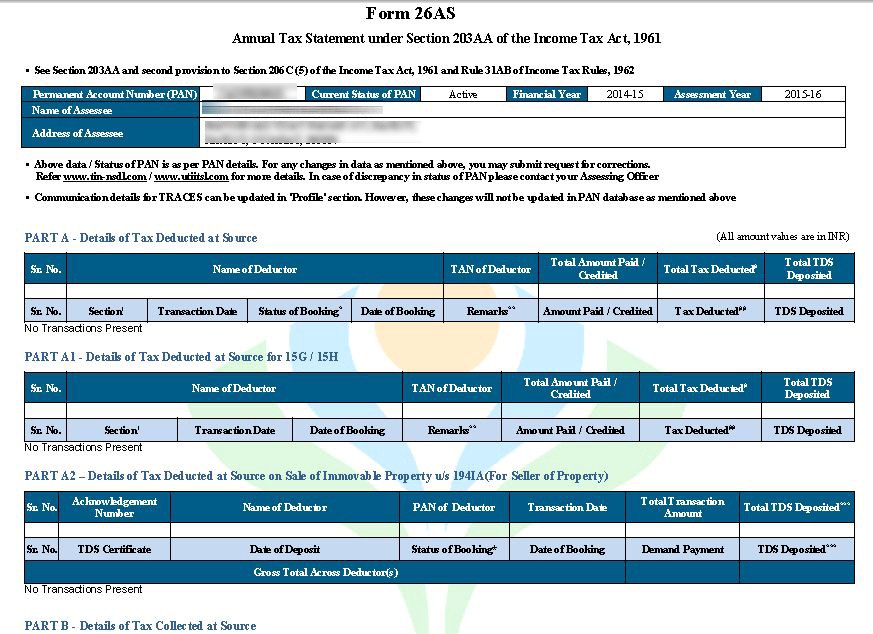
Now Your Form 26AS will be shown as below: